
Build a high-performance Hackintosh at a low cost
This article records the hardware selection and final results of a recently installed Hackintosh, with the configuration scheme being E5-2666 v3 + RX 580 + 64GB DDR3.
I previously tried to install Hackintosh on a ThinkPad laptop and an M710 mini PC, but unfortunately, the low-power CPU combined with the lack of a dedicated graphics card made the performance too weak. Taking advantage of the recent 618 sales event with discounted prices, my urge to tinker was reignited, so I bought some computer components and got started!
1. Hardware Configuration
I chose a combination of E5-2666 v3 + RX 580 + 64GB DDR3, detailed as follows:
- CPU: E5-2666 v3, which has a good price-performance ratio and single-core performance, with 10 cores and 20 threads, definitely sufficient. 54 yuan.
- Memory: DDR3 is only half the price of DDR4, so I decisively chose two Samsung 32GB server memory sticks. 120 yuan.
- Motherboard: JUXI X99-K9 D3, native C612 chipset, better compatibility, but a bit more expensive. 320 yuan.
- Graphics Card: RX 580 full-blooded version mining card, no driver needed for Hackintosh. The non-full-blooded version is cheaper but requires a BIOS flash for compatibility. 280 yuan.
- Hard Drive: An old Western Digital Blue SN500, 500G, second-hand price around 200 yuan.
- Wireless Network Card: An Intel network card I randomly found, which can be driven. Generally, Broadcom network cards are more suitable for Hackintosh, but they are more expensive.
- Power Supply: Chenyu's Xuanwu 550 v3, extremely high price-performance ratio, not afraid of explosions. 195 yuan.
- Case: Zhenxiang Niu Niu MATX case, acrylic side panel, 80 yuan.
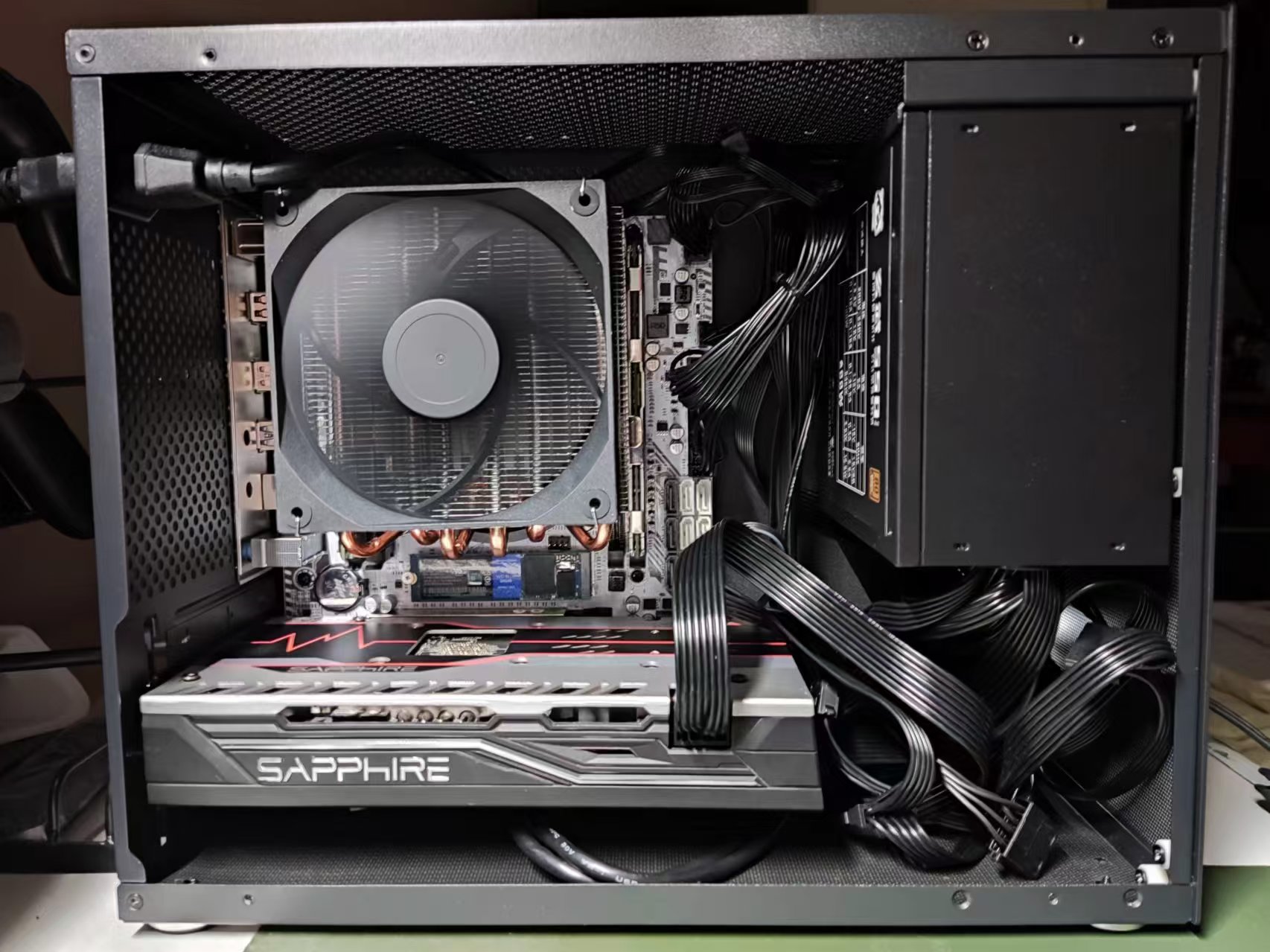
The total hardware cost is over 1200 yuan, and the result after assembly is as shown in the picture.
2. System Installation
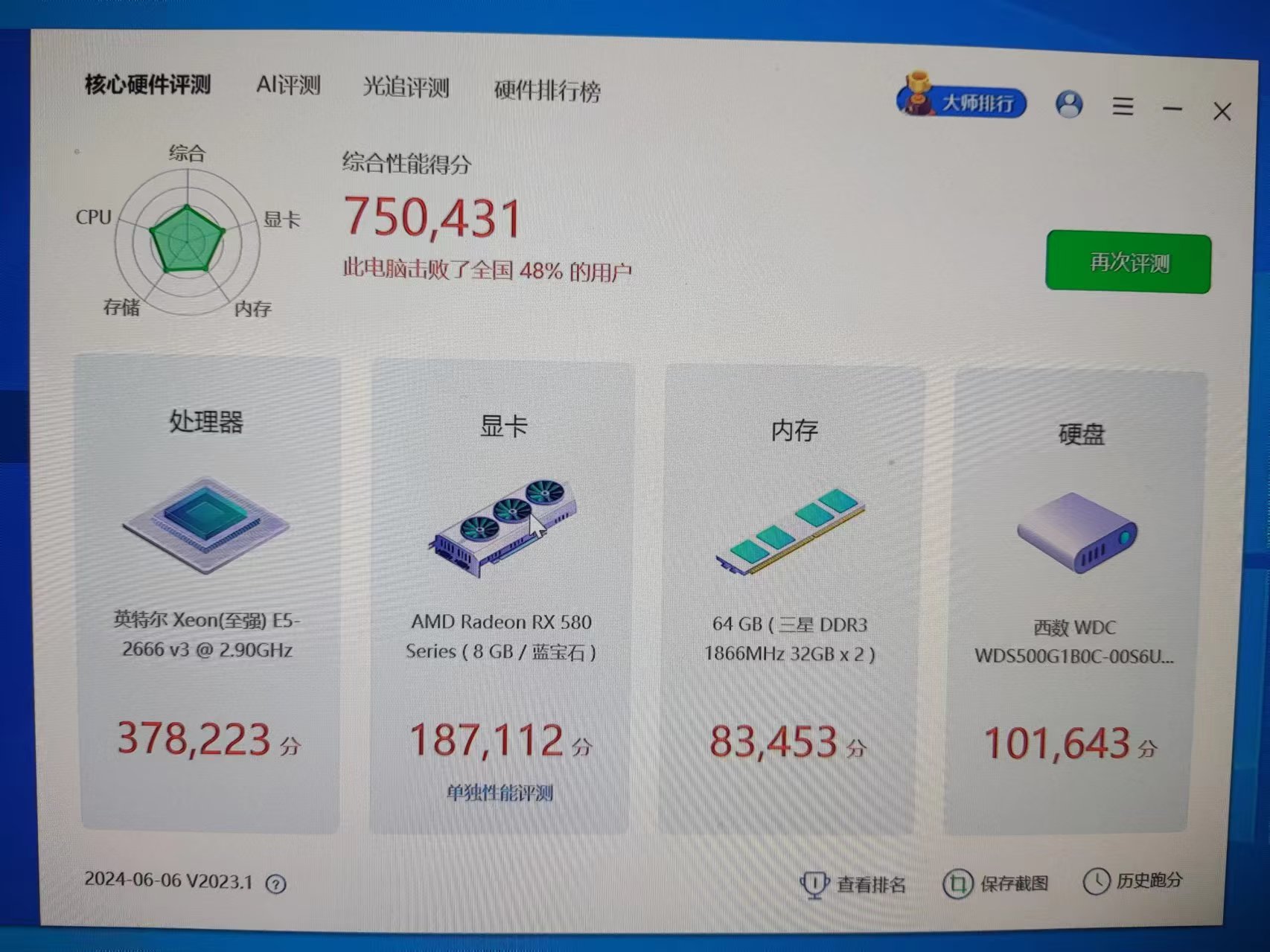
First, I installed Windows to run a benchmark; with a score of 750,000, I outperformed 48% of users.
Then I installed Hackintosh. I won't detail the specific steps; basically, I downloaded the image from "Hackintosh Zone" for installation, found the corresponding EFI file for the hardware on GitHub to replace it, and then used OpenCore Configurator to patch and adjust the boot parameters.
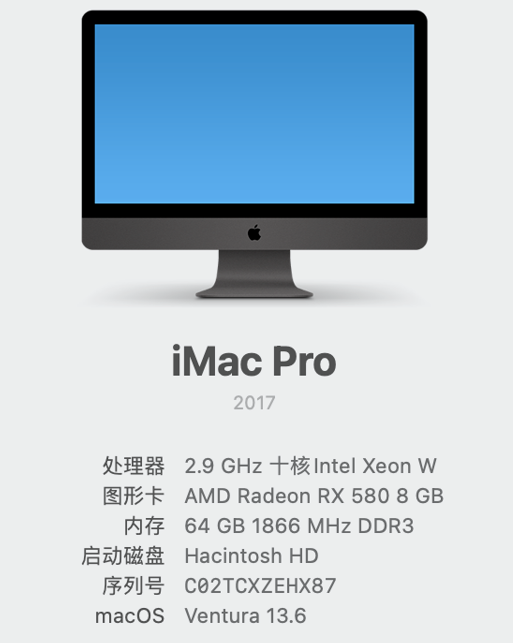
After installation, let's admire the configuration. If this were a genuine Mac, I can't imagine how much it would cost...
3. Others
As Apple transitions to self-developed ARM chips, the x86 architecture of macOS will also be phased out, and Hackintosh may have no future. However, playing with Hackintosh is also about enjoying the fun of tinkering. If you don't want to tinker, a Mac Mini is also a good choice for experiencing the Mac system.
Comments
No comments yet. Be the first to comment!